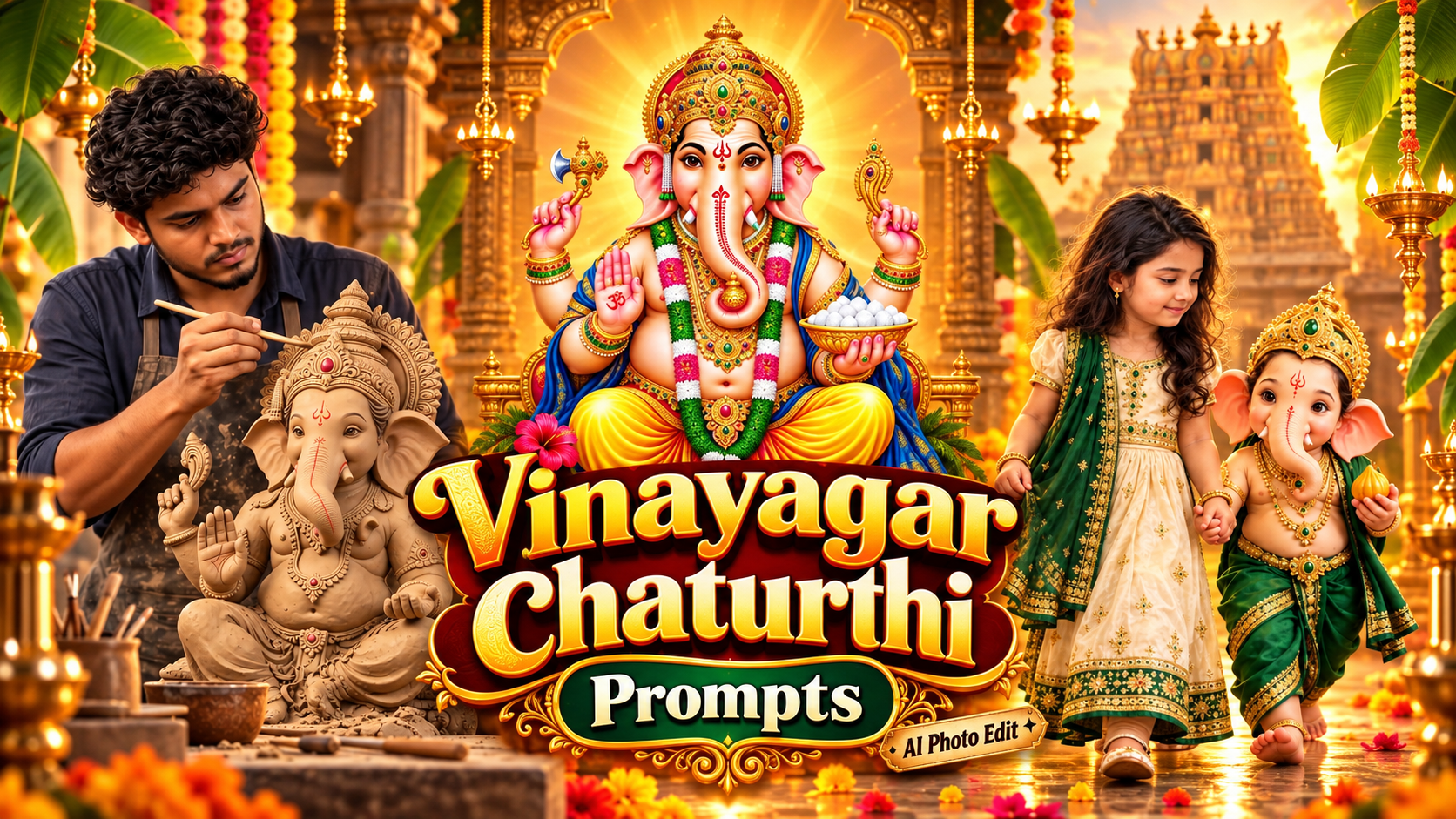
Vinayagar Chaturthi photo editing is everywhere this week. Open Instagram or any family WhatsApp group and you will see the same set of pictures — a kid sitting next to Pillayar, someone holding a small Vinayagar in their palm, a clay idol being shaped and painted, and big Tamil Nadu style banners with the person’s own photo inside.
Most of these are not done in Photoshop. They are made with a free AI app and one good prompt. That is the full trick. You upload your photo, paste the prompt, wait ten seconds, and the output looks like a proper studio shoot.
Below are the four edits people are asking for the most this season. The complete prompt for all four is ready at the end of this post. Click the Download Prompt button, copy it, and use it.
What you need before you start
- One clear photo. Front face, good light, no blur.
- The Gemini app (free) or any AI image app you already use.
- Two minutes. That is honestly it.
If the face in your photo is small or dark, the edit will not come out clean. Take a fresh photo near a window and use that instead.
4 Vinayagar Chaturthi photo editing ideas that are trending
1. Your kid sitting with Vinayagar
This is the number one edit right now, especially for babies and small children. The child is placed next to a decorated Vinayagar idol, wearing a silk pattu pavadai or a small veshti, with flowers, kolam and diyas around. Warm temple lighting falls on the face and the whole frame looks like a festival photoshoot from a real studio.
Parents love it because you do not have to take the child to a pandal, sit them still, and hope they smile. One normal photo is enough.
2. Holding a tiny Vinayagar in your hand
Here a small clay Vinayagar sits on your open palm, shot very close, with the background softly blurred. It looks simple but it gets the most saves and shares because of the emotion in it.
This works for men and women equally. If your hand is not in the original photo, no problem, the prompt creates it and blends your face into the frame.
3. Making the idol and painting it
This one shows you shaping a clay Vinayagar with your own hands, and the second version shows you painting the finished idol with a small brush. Clay on the fingers, colour pots around, natural daylight from a window.
People in the comments always ask if it is real. That is the reaction you want on a festival post.
4. Tamil Nadu style Vinayagar Chaturthi banner
This is the flex banner look we all know. Big Vinayagar on one side, your photo on the other, yellow and red colour tone, marigold flowers, temple gopuram in the background, and empty space at the bottom for your name, your area name, or your shop name.
Perfect if you run a business page, a YouTube channel, or you are posting a wish for your street or association.
Step by Step: How to Create Your Vinayagar Chaturthi Photo
Step 1. Open ChatGPT and start a new chat. A fresh chat avoids confusion from earlier conversations.
Step 2. Upload your photo using the attachment icon next to the message box. Upload only one photo.
Step 3. Copy the full prompt from the file and paste it into the same message, right below the uploaded photo. Do not shorten it. Every line in that prompt controls something specific, such as the lighting, the outfit, or the camera angle.
Step 4. Send the message and wait. Generation usually takes thirty seconds to a minute.
Step 5. Check the face carefully. If it looks like you, download it. If the face has changed even slightly, do not start over. Just reply in the same chat with this line:
Keep the face pixel-accurate to the uploaded photo. Do not stylise or change any facial feature.
The corrected version is usually much closer.
Small things that make the edit look real
Use a photo where the light falls on your face from the front. Back-lit photos confuse the AI and the skin tone goes flat.
Do not upload a heavily zoomed screenshot. Low resolution input gives you a plastic looking face, and everyone can spot it.
For the banner, do not let the AI write the Tamil text. AI still breaks Tamil letters. Generate the banner with empty space at the bottom, then add your name and wishes in PixelLab or Canva. Two extra minutes, much cleaner result.
And keep one thing in mind, the festival is only a few days. Post it while the trend is hot. A Vinayagar Chaturthi edit posted next week gets half the reach.
Try the kid edit first if you have a child at home, the hand edit if you want something simple and emotional, and the banner if you are posting for a page or a business. All four prompts are in the download below, ready to copy and paste.
Getting the Best Quality for Instagram
Vertical images perform better on Instagram, WhatsApp status, and Facebook stories. All four prompts are already set to a vertical nine by sixteen ratio, so you do not need to crop anything afterwards.
Download the image at full resolution instead of taking a screenshot. Screenshots lose sharpness and the detail in the garlands, the gold work, and the lamps becomes muddy.
If you want to add Tamil text or a festival greeting on top, use a simple editing app afterwards. Adding text through the AI prompt usually produces broken or misspelled letters, so it is always safer to add it manually