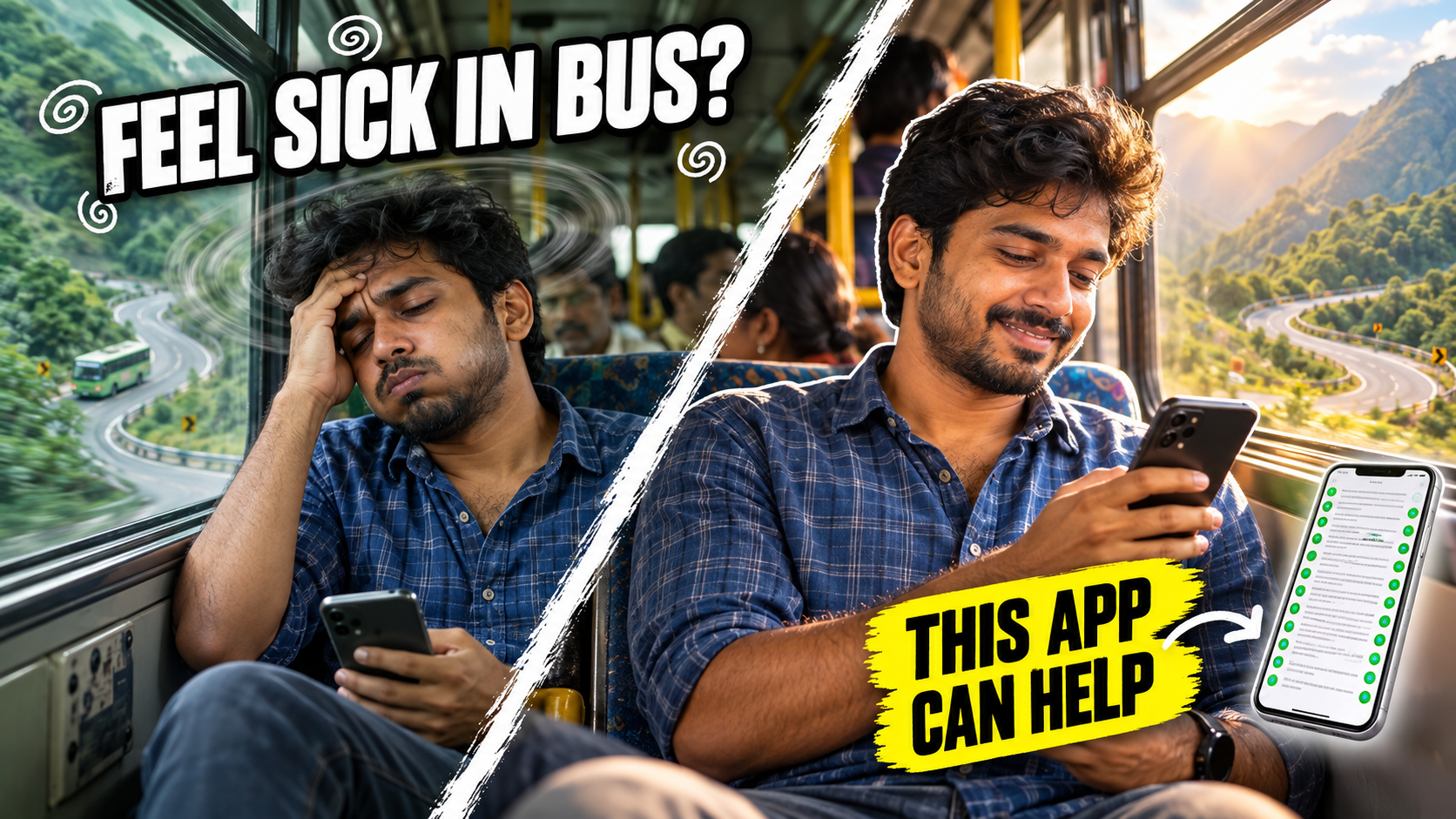
Picture this. You are on a bus going up the Kodaikanal ghat road, or in the back seat of a car on the way to Tirupati. You want to reply to a few messages or watch a short video to pass the time. Ten minutes later, your head feels heavy, your stomach turns, and you are desperately looking for the window. If this sounds familiar, you are not alone.
Car sickness is extremely common, and the phone screen often makes it worse. The good news is that a free car sickness app called KineStop can help many people use their phone on the move without that horrible queasy feeling.
In this post, I will explain in simple words why the phone makes you feel sick in a moving vehicle, how KineStop works, how to set it up properly, and a few everyday habits that make a real difference. I will also tell you about the built-in options on newer phones, and when you should stop relying on apps and talk to a doctor instead.
Why the Phone Makes You Feel Sick in a Moving Car
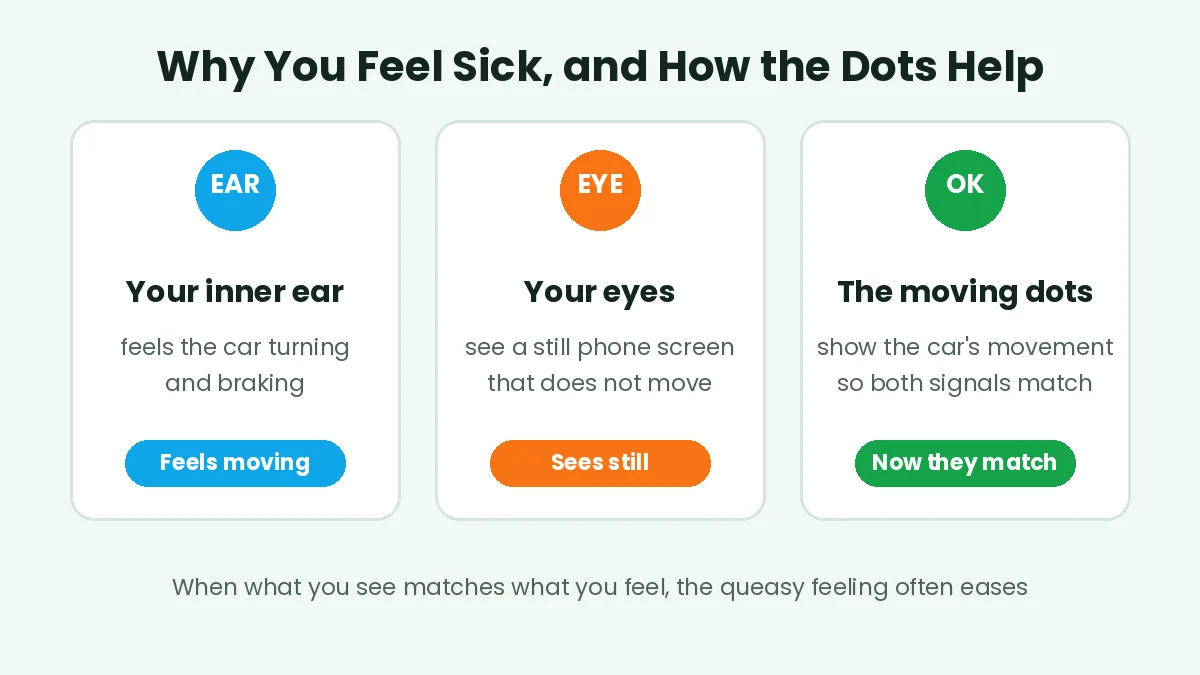
Your body uses two main systems to understand movement. Your inner ear senses every turn, brake and bump of the vehicle. Your eyes tell your brain what is happening around you. Normally, both send the same message.
When you look at a phone in a moving car without a car sickness app, something strange happens. Your inner ear says, “We are turning right and slowing down.” But your eyes, fixed on a still screen, say, “Nothing is moving.” Your brain gets two different messages and gets confused. That confusion is what many experts believe causes the dizziness, sweating and nausea we call motion sickness.
The moving dots help your eyes and inner ear agree
This is also why the driver rarely feels sick. The driver is watching the road, so the eyes and inner ear agree. If you want to read more about the science behind it, the motion sickness page on Wikipedia explains it well.
What Is KineStop, the Car Sickness App?
KineStop is an Android app made by Urbandroid, the same developer known for the popular Sleep as Android app. It has more than a million downloads on the Play Store and a very high rating, which is quite rare for a health related app.
The idea behind this car sickness app is simple and clever. KineStop uses your phone’s motion sensors to understand how the vehicle is moving. It then shows a set of small moving dots on top of whatever app you are using. When the car turns, the dots move one way. When it brakes, they slide the other way. In effect, it draws a small “horizon” on your screen.
Because your eyes can now see movement that matches what your inner ear feels, the confusing mismatch reduces. You can keep reading your book, watching a video or scrolling through messages, and the dots quietly do their job in the background. The developer says it works without any medicine, and that if you already feel sick, it may take a few minutes for the feeling to ease.
No car sickness app is magic, and it may not work equally well for everyone. But many users say it helps a lot on cars, buses, planes and even ferries.
Setting Up KineStop, Step by Step
Setting up this car sickness app takes just a couple of minutes. Do it at home, before your trip, so you are not fumbling with settings on a bumpy road.
Step 1: Install the App
Search for the KineStop car sickness app on the Google Play Store, or use the button near the end of this post. Check that the developer is Urbandroid before you install. The app is free to download, with optional in-app purchases.
Step 2: Open It and Allow the Overlay
Open the app and follow the setup screens. KineStop needs permission to show its dots on top of other apps, so Android will ask you to allow it to display over other apps. Turn this on, then come back to the app.
Step 3: Decide About the Accessibility Permission
The app may also ask for accessibility access. This lets the dots cover the whole screen, including the status bar and notifications, and helps fix a problem where some apps block taps when an overlay is on. The developer says this access is used only for this purpose and that the app collects no personal data. It is optional, so allow it only if you are comfortable.
Step 4: Turn Off Battery Optimisation
Many Android phones, especially from brands like Xiaomi, Realme, Vivo and Oppo, aggressively stop apps running in the background. If that happens, the dots will suddenly disappear halfway through the ride. Go to your phone’s battery settings and set KineStop to “no restrictions” or “don’t optimise”.
Step 5: Start It Before the Ride
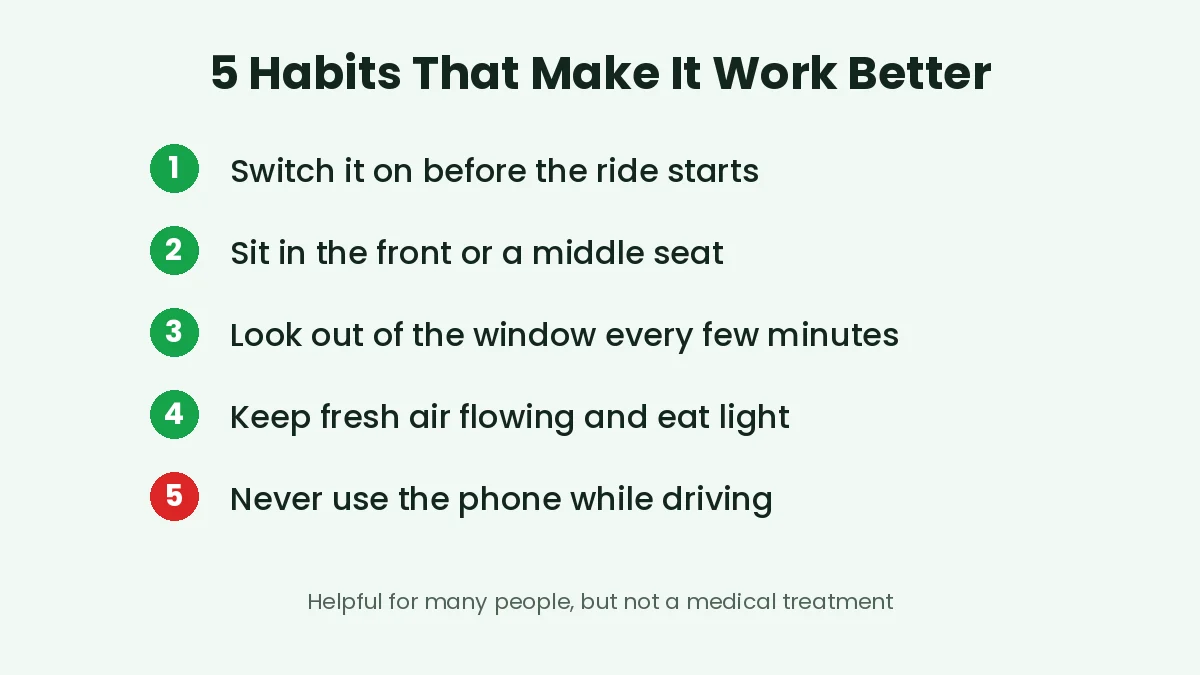
Switch KineStop on before the vehicle starts moving, not after you start feeling sick. Prevention works far better than cure. You can usually turn it on and off from the notification, so you don’t need to open the app every time.
Getting the Best Results From a Car Sickness App
Using a car sickness app works best when you combine it with a few simple habits. Here is what makes the biggest difference.
Simple habits for a more comfortable ride
Sit where you feel the least movement. In a car, the front passenger seat is best. In a bus, choose a seat in the middle, near the front wheels, rather than the very back, where every bump feels bigger.
Take short breaks from the screen. Every few minutes, look out of the window at the horizon for a little while. This gives your brain a natural reset.
Keep fresh air coming in. Stuffy, warm air and strong smells, like perfume or food in a closed car, make nausea worse. Open a window slightly or point the AC vent towards your face.
Eat light before the trip. Don’t travel on an empty stomach, but avoid heavy, oily or very spicy food just before a long drive. A light meal an hour or two before is usually better.
Lower the screen brightness a little and avoid fast moving content, like action scenes or quick scrolling, if you are sensitive.
One simple rule: never use your phone, with or without this app, while you are driving. KineStop is for passengers only.
Things to Know Before You Rely on a Car Sickness App
No car sickness app is perfect, and it is better to know the small issues upfront.
Some users have noticed that when the overlay is on, buttons in certain apps, like email or streaming apps, don’t respond to taps. This is because Android blocks taps on some secure buttons when something is drawn on top of the screen. The accessibility option mentioned earlier is meant to fix this. If it still happens, simply pause KineStop from the notification, tap the button, and turn it back on.
A few people have said the app sometimes switches on by itself when they are not travelling. You can turn it off quickly from the notification, or check the auto start settings inside the app.
The dots can feel a little distracting for the first few minutes. Most people get used to them quickly and stop noticing them after a while. Some settings let you adjust how they look, so play around and find what feels comfortable.
And remember, KineStop reduces the visual confusion. It does not change how your body reacts to movement in other ways, so on very winding roads you may still feel some discomfort.
Does Your Phone Already Have This Built In?
Some newer phones now come with a car sickness app style feature built into the system, so it is worth checking before you install anything.
On iPhones, Apple added a feature called Vehicle Motion Cues in iOS 18. You can find it under the accessibility settings, in the Motion section, and set it to turn on automatically in a vehicle.
On Android, Google has started rolling out a feature called Motion Assist with Android 17, with Pixel phones getting it first. It also uses moving dots at the edges of the screen. On supported phones, you can find it in the safety section of your phone’s settings. Since it is rolling out slowly, many phones in India may not have it yet. Until it reaches your phone, the KineStop car sickness app is an easy way to get a similar experience on almost any Android phone running Android 7 or newer.
Simple Things That Help With Car Sickness
Apart from using a car sickness app, a few old, practical tips really do help on long trips, especially with family.
Plan for breaks. On long drives, stop every hour or two, step out, stretch, and get some fresh air. This is especially helpful on ghat roads with many hairpin bends.
Keep kids looking outside. Children often feel car sick more than adults. Instead of giving them a phone on a winding road, encourage them to look out of the window and play simple games like counting cows or spotting yellow cars.
Carry the basics. A water bottle, a small plastic bag just in case, some tissues, and a light snack can save you a lot of embarrassment.
If you are planning a temple trip soon, our guide on Tirupati special darshan booking tips may help you plan the visit better. For off road or hill trips with friends, take a look at our post on the Trail Track app for group rides. And if you travel often by train, our IRCTC chart vacancy guide explains how to find seats after the chart is prepared.
When You Should See a Doctor
A car sickness app is a helper, not a treatment. Car sickness is usually harmless and goes away once the trip ends. But do talk to a doctor if your symptoms are very strong, last long after you get off the vehicle, come with severe headaches, or start happening even when you are not travelling. These could point to something else that needs proper attention.
Also, please don’t take motion sickness tablets without asking a doctor or pharmacist first, especially for children, pregnant women, elderly people, or anyone already taking other medicines. Some of these tablets cause drowsiness and are not suitable for everyone. This post is for general information only and is not medical advice.
BEFORE YOUR NEXT TRIPSet it up at home and switch it on before the ride.Get KineStop
Wrapping Up
Feeling sick every time you look at your phone in a car or bus is not something you just have to live with. A car sickness app like KineStop gives your eyes the movement your inner ear already feels, and for many people that alone makes a big difference.
Set it up at home, switch it on before the ride, sit in a good seat, keep fresh air flowing, and take small screen breaks. Check if your phone already has a built-in option, and see a doctor if the problem is severe. With these small changes, your next long trip can be a lot more comfortable.